Live preview
Every keystroke updates the slide
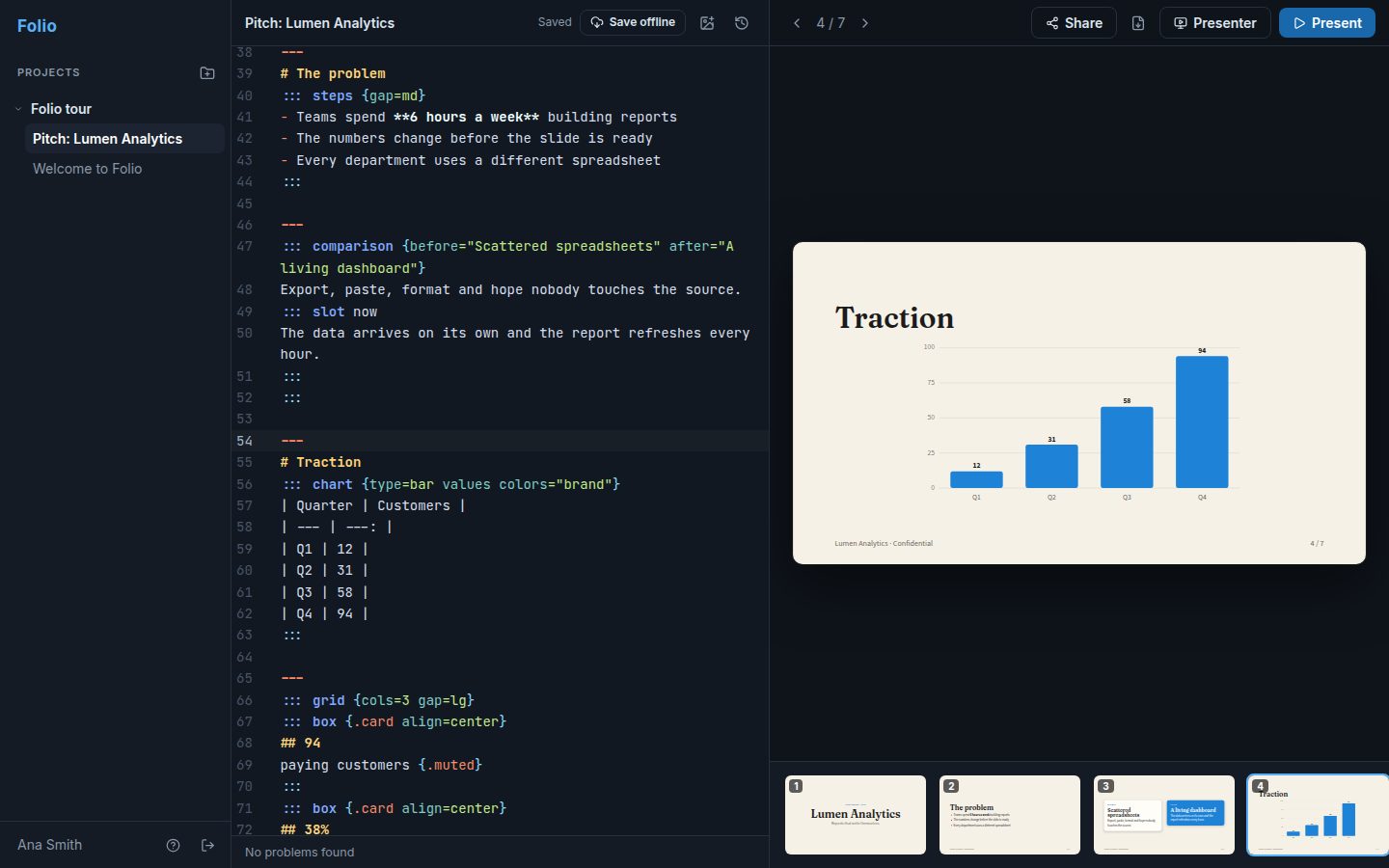
Write on one side and see the result on the other. Click any element in the preview to jump straight to its line.
Presentations written as text
With Folio you write slides with the simplicity of Markdown and get a professional result: layouts, themes, charts and presenter mode, all from text.
How it works
Headings, lists and images like any text. A --- line separates one slide from the next.
Columns, colors, icons and charts with simple attributes, no CSS required.
Full screen, notes and a timer in presenter mode, or export to PDF.
Editor
An editor built for people who would rather write than drag boxes around.
Live preview
Write on one side and see the result on the other. Click any element in the preview to jump straight to its line.
Errors that explain
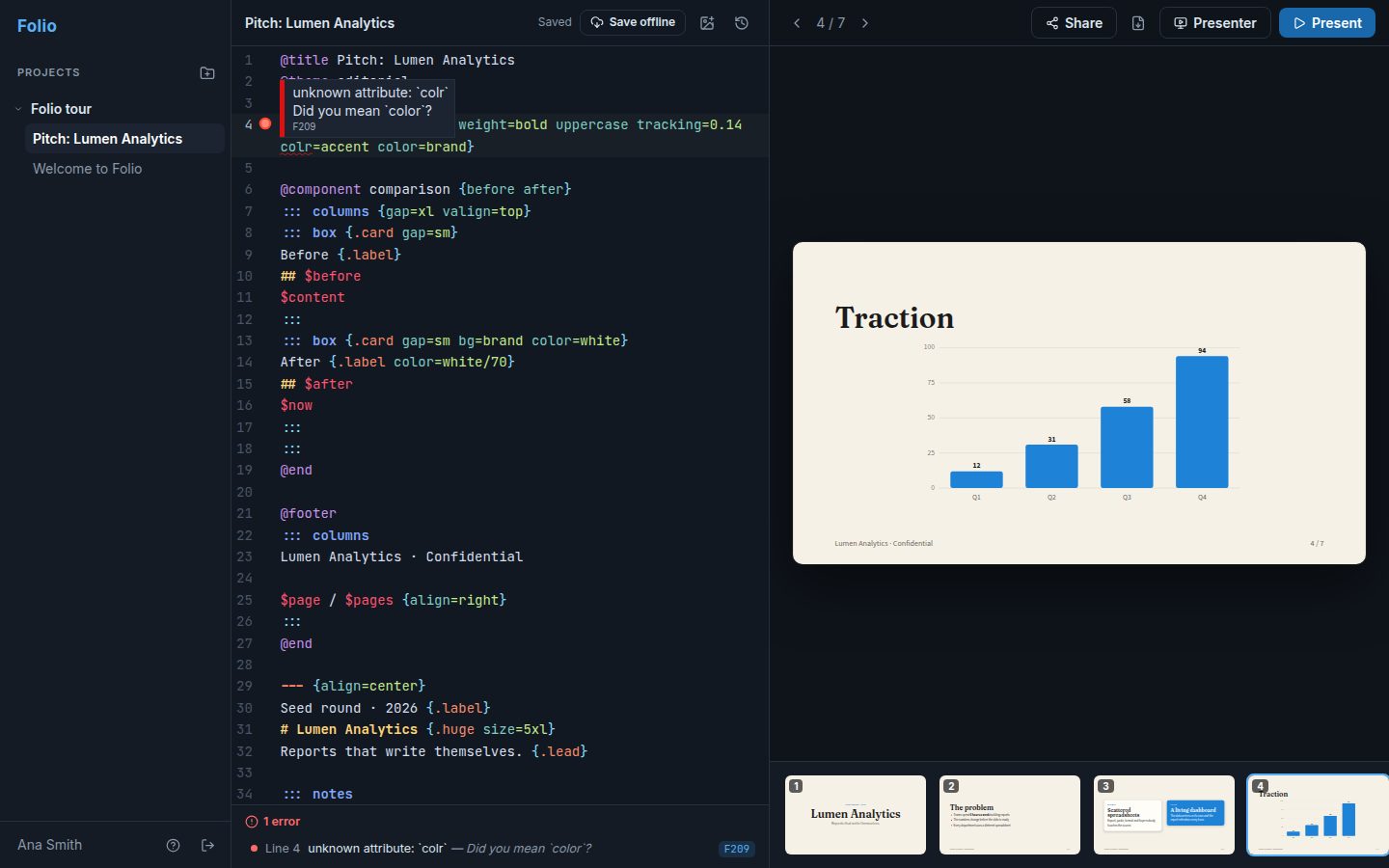
The editor points to the line, underlines the text and explains what to do, as in “Did you mean color?”. The preview keeps working while you fix it.
Presenter mode
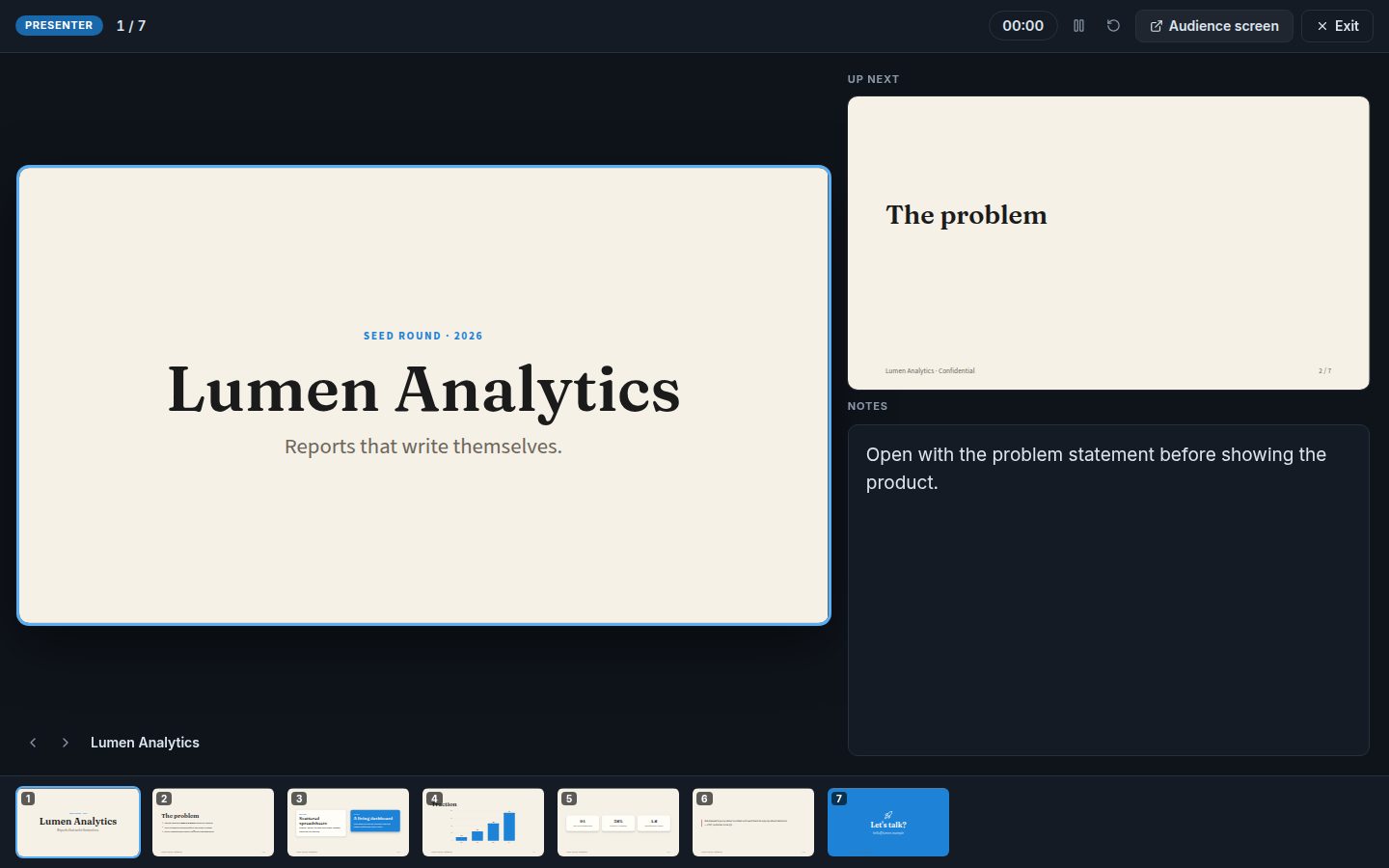
Current slide, next step, notes and a timer for you. The audience sees only the presentation, in another window that follows every move.
Themes and history
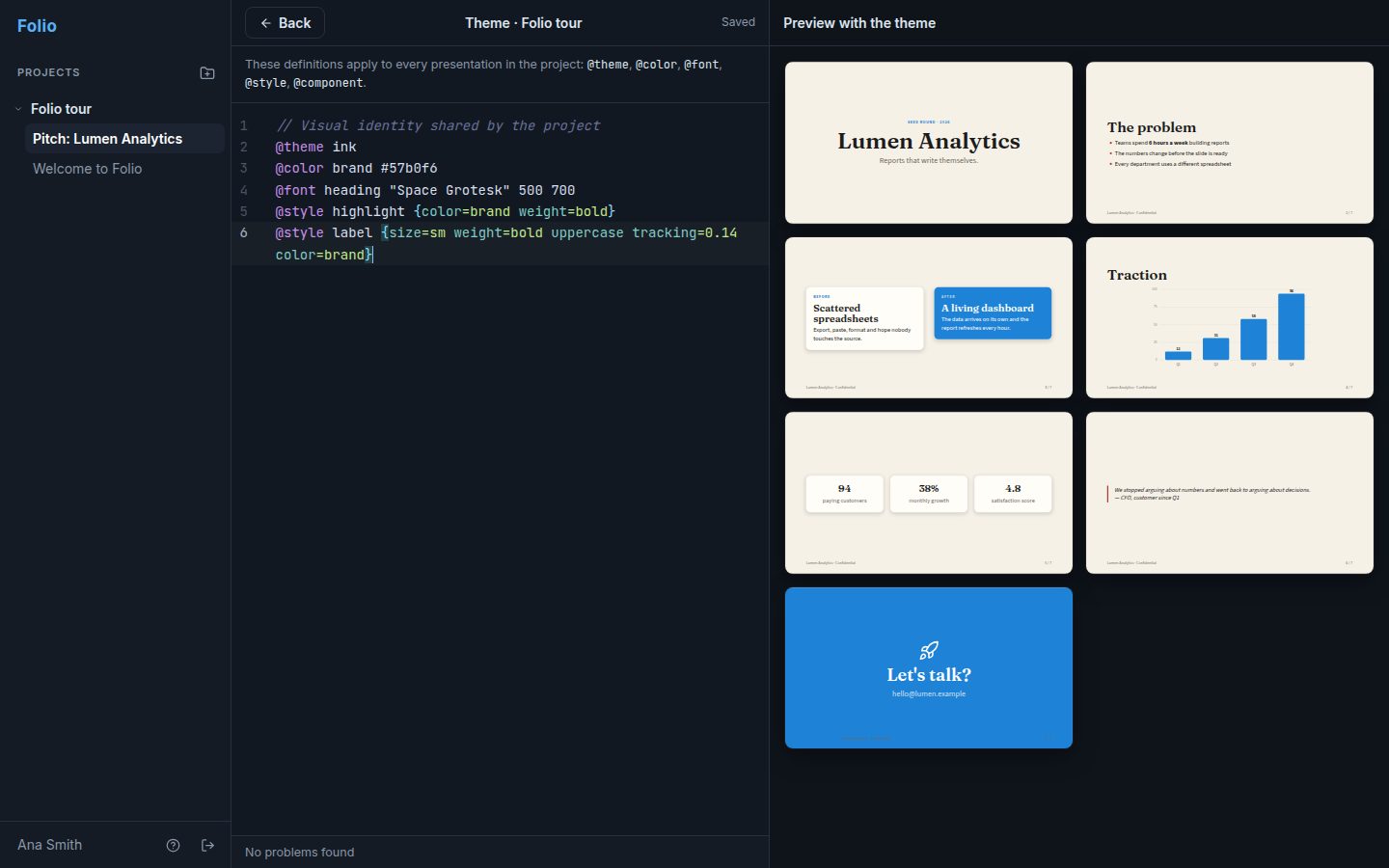
One theme per project keeps every presentation on brand. And every version is saved so you can go back whenever you want.
Benefits
Writing beats aligning boxes. Reorder slides by copying and pasting text.
Colors, fonts and styles come from the theme. No more slides with mismatched sizes and colors.
Build components once and use them on any slide, always with the same look.
No code is executed: your text becomes a validated structure, and only then is it drawn.
Create your account and start from ready-made examples.
Create a free account